

Set up and track your move-in bills from one place
Set up and track household bills when you move home. Taupia gives students, renters and young professionals one simple, transparent place for energy, broadband and move-in admin.
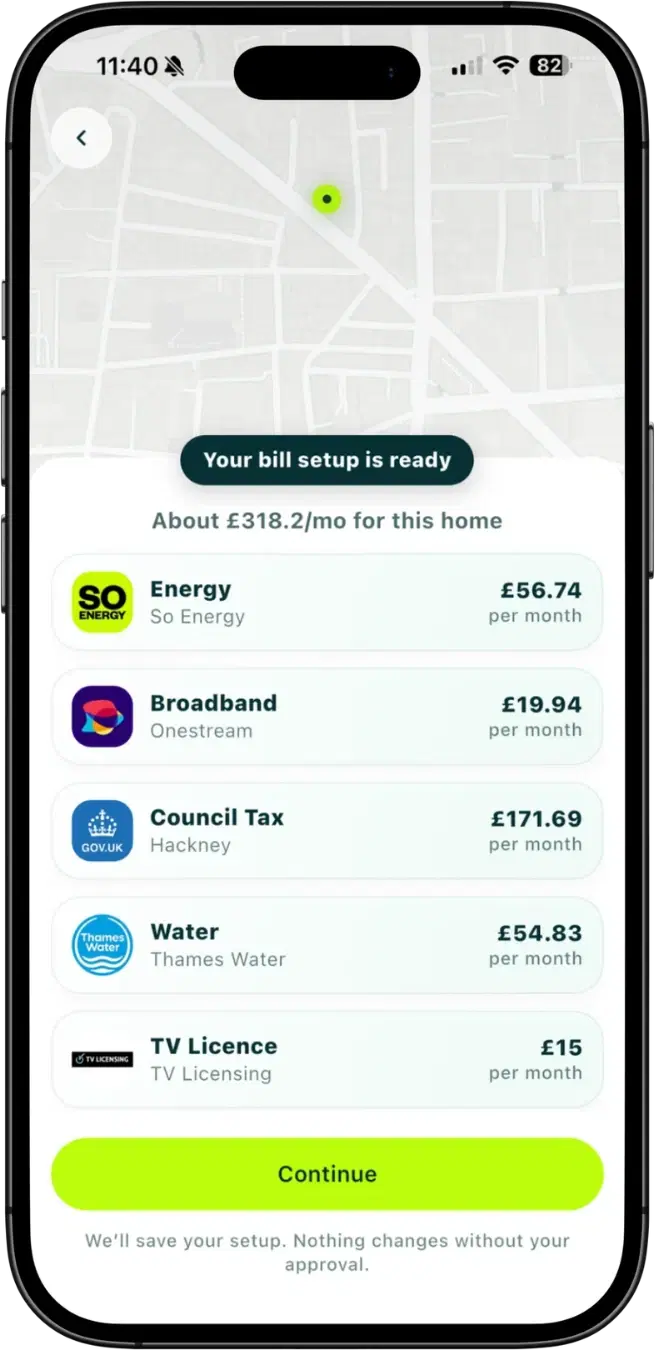
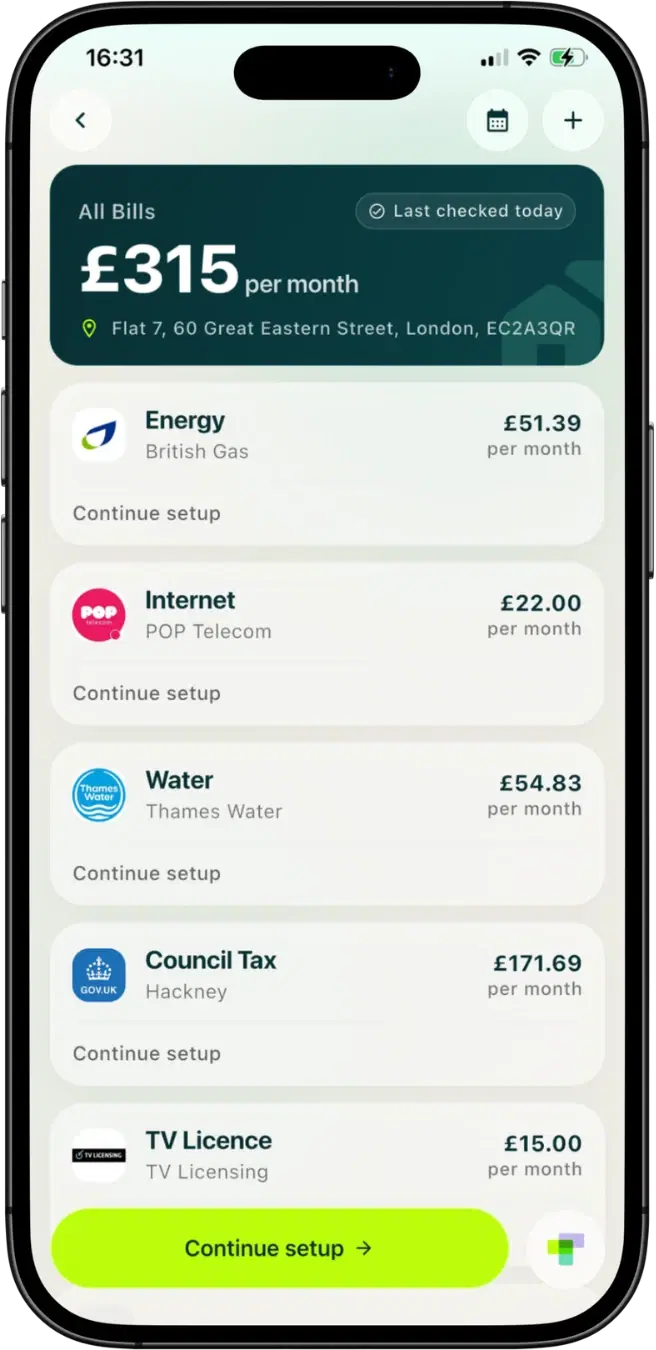
The bills Taupia handles when you move in
These are the essential household bills you need to sort when moving into a new home. Taupia brings them into one flow.
Essential move-in bills
How Taupia helps when you move in
Tell Taupia where you're moving. We find your household bill providers, show prices and available offers, help you complete setup, and keep everything together in one place.
Share the bills. Not the stress.
See what the household costs, what each person owes, and who's responsible for each bill, all in one shared view.
- No awkward chasingAutomatic reminders, not you.
- Clear sharesEveryone knows what they owe.
- One shared viewAll the bills and payments in one place.
Set up in minutes. Nothing changes without your approval.
Your shared home
3 active housemates · 1 invite pending
Your share
£59.63/ month
Household total
£178.90/ month
£59.63 each · currently split between 3 housemates
Housemates
 ImogenYou owe Priya £35.13
 JackOwes Priya £33.63
 PriyaIs owed £68.76
 TomInvite pending
Who's responsible for what
- Energy£128.40PriyaResponsible
- Broadband£26.00JackResponsible
- Water£24.50ImogenResponsible
- Council Tax£133.10£0Student exemptionImogenResponsible
One inbox. Everyone stays in the loop.
Each housemate gets a Taupia Mail address for household bills. Shared bill updates stay visible to everyone.
- Your own Taupia MailA dedicated email for household bills.
- Shared household updatesEveryone sees the important messages.
Messages inbox
Shared with your home
Energy bill is ready
Your latest energy bill is ready to view.
2h agoBroadband installation confirmed
Your broadband will be installed on 4 September.
1d agoWater account is now active
Your water account is set up and good to go.
2d agoCouncil Tax - student exemption
You're exempt from Council Tax. No payment needed.
3d agoMobile bill for July
Your mobile bill is ready.
Private - not shared with the home
4d agoTV Licence renewed
Your TV Licence is renewed until 28 August 2025.
5d ago
Shared updates, all in one place.
Quick help for move-in bill questions
Pick the question that matches where you are stuck. Each guide gives you the next steps for that part of your move-in setup.
I’m renting for the first time. Where do I start?
Open renter guideIn what order should I set my bills up?
Open checklistHow do we split bills with housemates?
Open housemate guideHow do I sort council tax and water?
Open guideAm I on the energy price cap when I move in?
Open cap guideWhy was my energy switch declined?
Open switch guideMy first bill looks wrong. What should I check?
Check first billMy supplier sent a price-rise letter. What does it mean?
Decode the letterSetup is done. How do I keep on top of the bills?
Manage bills
Ready to work through the setup in Taupia?
Quick answers before you move
Can I switch household water supplier like energy?
Usually no. Household water services are generally tied to your local area, so your provider depends on where your home is located.
How does Taupia help with my water bill?
Taupia sets up your water alongside council tax, energy, broadband, mobile and your TV Licence, then keeps the bill and its dates with the rest of your household. Water is a regional monopoly, so there is no supplier to compare: what matters is registering with the right company for your address on the right date, and Taupia's water guide finds that company for you.
What if my home is on a new development with a different local water company?
That can happen in some areas served by local NAV providers. Use the official postcode checker and your moving documents to confirm the correct provider before setup.
What should I do if my first post-move bill looks much higher than expected?
Use Taupia's bill-shock triage guide to work out whether the jump came from setup timing, usage, contract terms, or a billing error.
Where can I decode a utility price rise letter after moving in?
Start with Taupia's price-rise letter guide for a plain-English breakdown and a quick switch-versus-renegotiate framework.
Move home with fewer bill surprises
Start with energy and broadband in Taupia today, use the water bill setup guide for supplier details, and keep the bill-shock checklist handy for your first billing cycle.